06 / 963 Hz / THINK
reMarkable 2
“The paper tablet.”
Screens are designed to distract. The reMarkable 2 is designed to focus. Feels like paper. Thinks like a notebook. Syncs like a computer. This is the tool for people who create.
- ◆Zero latency — feels exactly like paper
- ◆No notifications, no apps, no distractions
- ◆Syncs everywhere — always with you
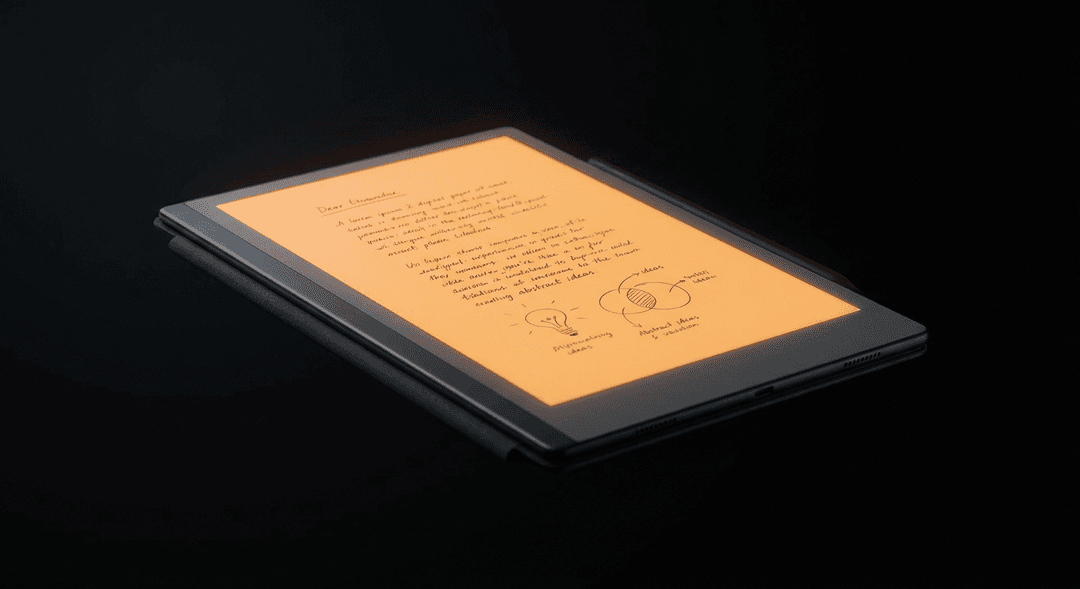
The Best Writing Tablet in 2026: One Answer
Paper has never been beaten as a thinking surface. The friction, the permanence, the absence of notifications — there's a reason serious writers, engineers, and thinkers still reach for notebooks. The reMarkable 2 captures everything that makes paper great and adds everything paper lacks: instant sync, unlimited pages, and the ability to convert handwriting to text. It's the right tool for people who create.
The Problem With Both Paper and Tablets
Paper is perfect for thinking but terrible for organization, search, and sharing. Your brilliant meeting notes from six months ago are in a notebook somewhere, unreachable.
Tablets (iPad, Android) are perfect for consumption — reading, watching, browsing — but terrible for creation. The moment you pick up an iPad, the notification center is there. The App Store. Safari. Every app pulls you away from what you sat down to do.
The reMarkable 2 solves both problems: it feels like paper, and it syncs like a computer.
Why the reMarkable 2 is the Right Thang
The CANVAS display. The reMarkable 2 uses a special low-latency e-paper display with a textured surface. Stylus-to-screen latency is 26 milliseconds — compared to 50ms+ on an iPad. Combined with the texture, writing on it genuinely feels like a felt-tip pen on slightly rough paper. This is not hyperbole. Every person who tries it says the same thing.
No distractions. By design. There is no browser. No email. No social media. No notifications. The device does one thing: let you write, draw, and read. This isn't a limitation — it's the point.
Unlimited pages, organized. Notebooks, folders, documents — everything organized digitally, with unlimited capacity. A decade of notes doesn't weigh more than the day you bought it.
Sync to everything. The reMarkable app syncs to Mac, Windows, iOS, Android, and Chrome. Your notes are everywhere, instantly. You can also share pages directly or export as PDF.
Convert handwriting to text. Select any handwritten content → convert to typed text. It works remarkably (yes) well for clear handwriting.
Frequently Asked Questions
Is reMarkable 2 worth the price?
Yes, for people who write, sketch, or annotate regularly. It's a focused tool that does what it does better than anything else. For casual note-takers, a standard notebook may be sufficient.
Can the reMarkable 2 replace an iPad?
Not if you want a general-purpose tablet. The reMarkable 2 has no browser, no apps, and no video. It's a writing tablet, not a tablet computer.
Does reMarkable 2 work without internet?
Yes. All writing and reading works offline. Sync to the cloud happens when connected to Wi-Fi.
What stylus does reMarkable 2 use?
The reMarkable Marker (included with some bundles) or Marker Plus. Third-party styluses are not supported.